2D and 3D Plots
Matplotlib-type Plots
Plotting functions using via matplotlib.
Examples:
>>> from pathlib import Path
>>> import numpy as np
>>> from umf.images.diagrams import ClassicPlot
>>> from umf.meta.plots import GraphSettings
>>> x = np.linspace(-10, 10, 100)
>>> y = np.linspace(-10, 10, 100)
>>> X, Y = np.meshgrid(x, y)
>>> Z = X ** 2 + Y ** 2
>>> plot = ClassicPlot(X, Y, Z, settings=GraphSettings(axis=["x", "y", "z"]))
>>> plot.plot_3d()
>>> ClassicPlot.plot_save(plot.plot_return, Path("ClassicPlot_3d.png"))
>>> plot.plot_contour()
>>> ClassicPlot.plot_save(plot.plot_return, Path("ClassicPlot_contour.png"))
>>> plot.plot_surface()
>>> ClassicPlot.plot_save(plot.plot_return, Path("ClassicPlot_surface.png"))
>>> plot.plot_dashboard()
>>> ClassicPlot.plot_save(plot.plot_return, Path("ClassicPlot_dashboard.png"))
>>> plot.plot_close()
Examples:
>>> from pathlib import Path
>>> import numpy as np
>>> from umf.images.diagrams import ClassicPlot
>>> from umf.meta.plots import GraphSettings
>>> from umf.meta.plots import GIFSettings
>>> from umf.functions.optimization.special import GoldsteinPriceFunction
>>> # Start with a simple plot
>>> x = np.linspace(-2, 2, 100)
>>> y = np.linspace(-2, 2, 100)
>>> X, Y = np.meshgrid(x, y)
>>> Z = GoldsteinPriceFunction(X, Y).__eval__
>>> plot = ClassicPlot(
...     X,
...     Y,
...     Z,
...     settings=GraphSettings(axis=["x", "y", "z"]),
... )
>>> plot.plot_surface()
>>> # Now only zoom
>>> plot.plot_save_gif(
...     fig=plot.plot_return,
...     ax_fig=plot.ax_return,
...     fname=Path("GoldsteinPriceFunction_zoom.gif"),
...     settings=GIFSettings(),
... )
>>> # Now only rotate
>>> plot.plot_save_gif(
...     fig=plot.plot_return,
...     ax_fig=plot.ax_return,
...     fname=Path("GoldsteinPriceFunction_rotate.gif"),
...     settings=GIFSettings(),
... )
>>> # Now only zoom and rotate
>>> plot.plot_save_gif(
...     fig=plot.plot_return,
...     ax_fig=plot.ax_return,
...     fname=Path("GoldsteinPriceFunction_all.gif"),
...     settings=GIFSettings(),
... )
>>> plot.plot_close()
Examples:
>>> from pathlib import Path
>>> import numpy as np
>>> from umf.images.diagrams import ClassicPlot
>>> from umf.meta.plots import GraphSettings
>>> from umf.functions.distributions.continuous_semi_infinite_interval import (
...    RayleighDistribution,
... )
>>> x = np.linspace(0, 10, 100)
>>> y_sigma_1 = RayleighDistribution(x, sigma=1).__eval__
>>> y_sigma_2 = RayleighDistribution(x, sigma=2).__eval__
>>> y_sigma_3 = RayleighDistribution(x, sigma=3).__eval__
>>> plot = ClassicPlot(
...     np.array([x, y_sigma_1]),
...     np.array([x, y_sigma_2]),
...     np.array([x, y_sigma_3]),
...     settings=GraphSettings(
...         axis=["x", r"$f(x)$"],
...         title="Rayleigh Distribution",
...     ),
... )
>>> plot.plot_series(label=[r"$\sigma=1$", r"$\sigma=2$", r"$\sigma=3$"])
>>> ClassicPlot.plot_save(plot.plot_return, Path("ClassicPlot_series.png"))
Parameters:
| Name | Type | Description | Default |
|---|---|---|---|
*x | UniversalArray | Input data, which can be one, two, three, or higher dimensional. | () |
settings | GraphSettings | Settings for the graph. Defaults to None. | None |
**kwargs | dict[str, Any] | Additional keyword arguments to pass to the plot function. | {} |
ax_return property ¶Return the Figure.
plot_return property ¶Return the plot.
label_settings(*, dim3=False, legend=False) ¶Set the labels for a 2D or 3D plot.
Parameters:
| Name | Type | Description | Default |
|---|---|---|---|
ax | Figure | Figure objects to set the labels and title. | required |
dim3 | bool | Whether the plot is 3D. Defaults to False. | False |
legend | bool | Whether to show the legend. Defaults to False. | False |
plot_2d(ax=None) ¶Plot a 2D function.
Parameters:
| Name | Type | Description | Default |
|---|---|---|---|
ax | Figure | Figure object to plot the data. Defaults to None. | None |
plot_3d(ax=None) ¶Plot a 3D function.
Parameters:
| Name | Type | Description | Default |
|---|---|---|---|
ax | Figure | Figure object to plot the data. Defaults to None. | None |
plot_close() staticmethod ¶Close all plots.
plot_contour(ax=None) ¶Plot a contour plot.
plot_dashboard() ¶Plot a dashboard.
plot_save(fig, fname, fformat='png', **kwargs) staticmethod ¶Save the plot.
Parameters:
| Name | Type | Description | Default |
|---|---|---|---|
fig | figure | The figure to save. | required |
fname | Path | The filename to save the figure to. | required |
fformat | str | The format to save the plot as. Defaults to "png". | 'png' |
**kwargs | dict[str, Any] | Additional keyword arguments to pass to the save function. | {} |
plot_save_animation(*, fig, ax_fig, fname, settings, **kwargs) staticmethod ¶Create and save an animation of a 2D plot with scatter and line elements.
This function generates an animation by progressively revealing data points in both a scatter plot and a line plot, then saves it as an animated file.
Parameters:
| Name | Type | Description | Default |
|---|---|---|---|
fig | Figure | The matplotlib figure object containing the plot | required |
ax_fig | SubFigure | The axis object containing the plots to animate | required |
fname | Path | Path object specifying where to save the animation file | required |
settings | AnimationSettings | Settings object containing animation parameters like frames, interval, and dpi | required |
**kwargs | dict[str, Any] | Additional keyword arguments passed to animation.save() | {} |
plot_save_gif(*, fig, ax_fig, fname, settings, **kwargs) staticmethod ¶Saves the given plot to a file.
Note
For generating GIFs, the a subfunction is used to update the plot for each frame of the animation. This subfunction is defined in the function update.
Parameters:
| Name | Type | Description | Default |
|---|---|---|---|
fig | figure | The figure to save. | required |
ax_fig | Figure | The figure to save. | required |
fname | Path | The filename to save the figure to. | required |
settings | GIFSettings | The settings for the GIF. | required |
**kwargs | dict[str, Any] | Additional keyword arguments to pass to the save function. | {} |
plot_series(ax=None, label=None) ¶Plot a 2D function as a series.
Parameters:
| Name | Type | Description | Default |
|---|---|---|---|
ax | Figure | Figure object to plot the data. Defaults to None. | None |
label | list[str | None] | The label of each line. Defaults to None. | None |
plot_show() ¶Show the plot.
plot_surface(ax=None) ¶Plot a 3D function.
| Types | Matplotlib-type Plots |
|---|---|
| 3D-Plot | 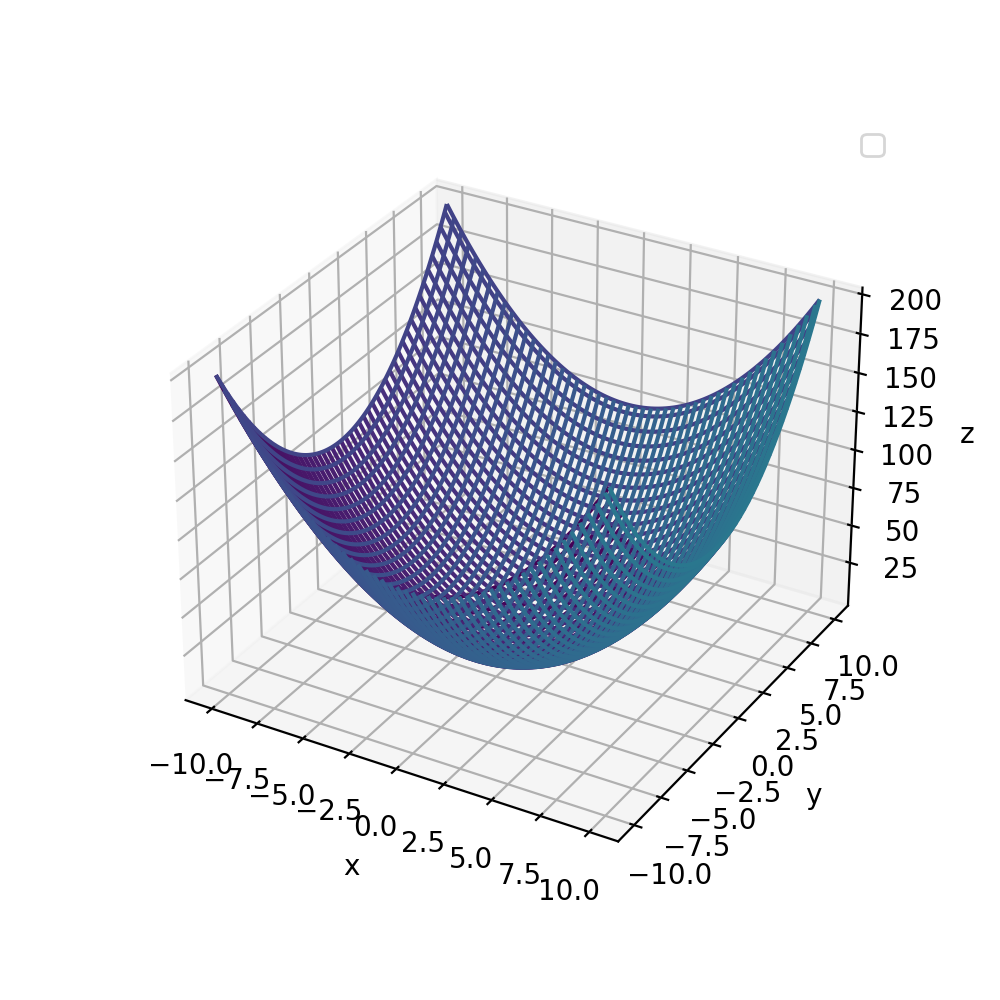 |
| Contour-Plot | 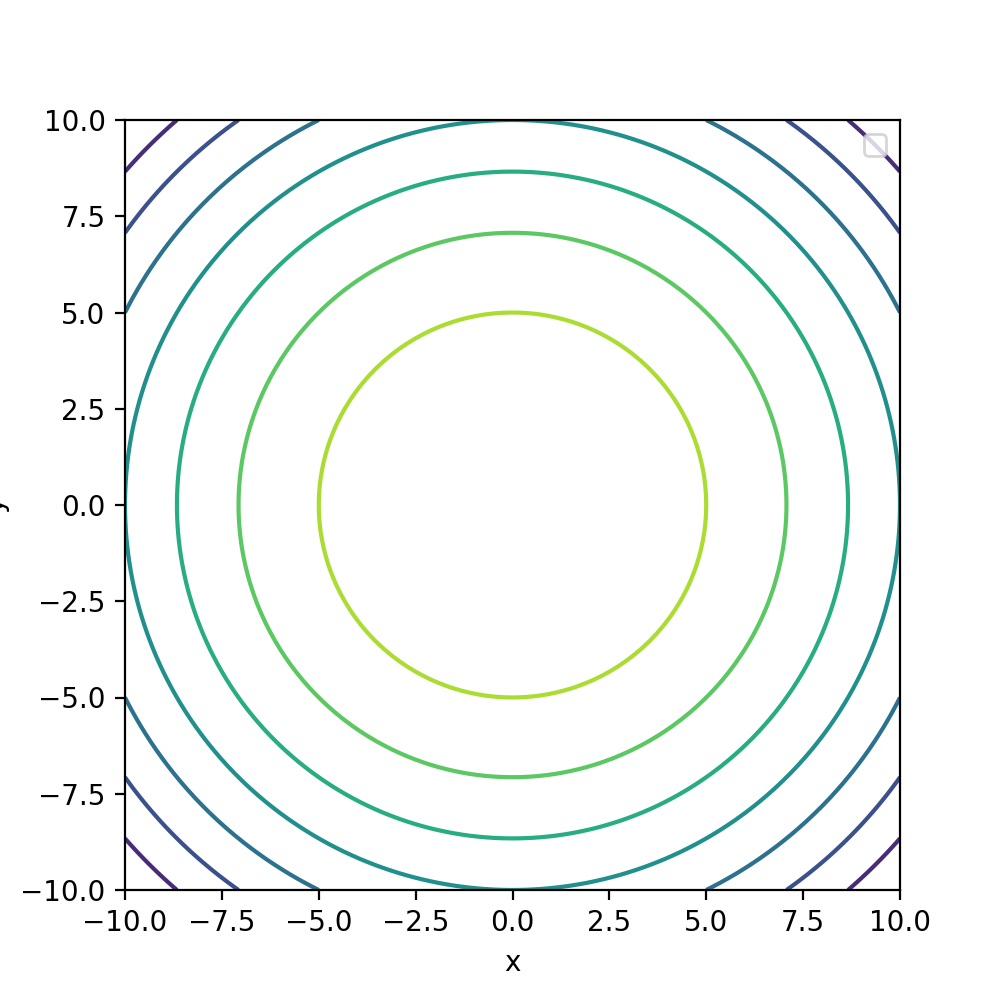 |
| Surface-Plot | 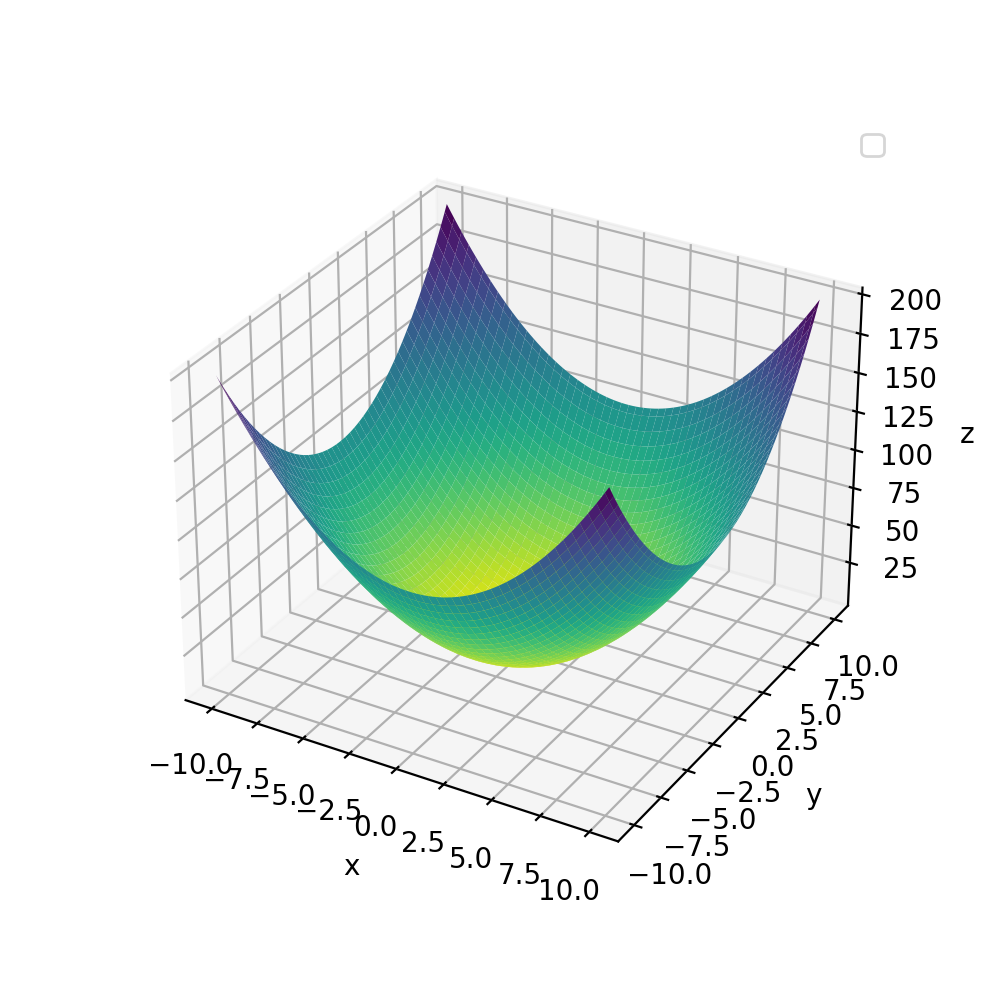 |
| Dashboard-Plot | coming soon |
| 2D-Plot | 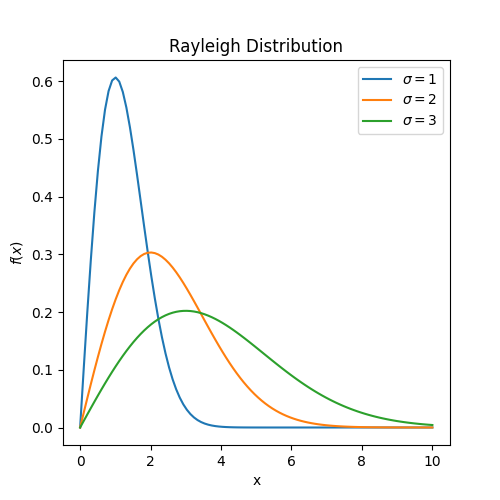 |
Plotly-type Plots
Plotting functions using via plotly.
Examples:
>>> from pathlib import Path
>>> import numpy as np
>>> from umf.images.diagrams import PlotlyPlot
>>> from umf.meta.plots import GraphSettings
>>> x = np.linspace(-10, 10, 100)
>>> y = np.linspace(-10, 10, 100)
>>> X, Y = np.meshgrid(x, y)
>>> Z = X ** 2 + Y ** 2
>>> plot = PlotlyPlot(X, Y, Z, settings=GraphSettings(axis=["x", "y", "z"]))
>>> plot.plot_3d()
>>> PlotlyPlot.plot_save(plot.plot_return, Path("PlotlyPlot_3d.png"))
>>> plot.plot_contour()
>>> PlotlyPlot.plot_save(plot.plot_return, Path("PlotlyPlot_contour.png"))
>>> plot.plot_surface()
>>> PlotlyPlot.plot_save(plot.plot_return, Path("PlotlyPlot_surface.png"))
Examples:
>>> from pathlib import Path
>>> import numpy as np
>>> from umf.images.diagrams import PlotlyPlot
>>> from umf.meta.plots import GraphSettings
>>> from umf.functions.distributions.continuous_semi_infinite_interval import (
...    RayleighDistribution,
... )
>>> x = np.linspace(0, 10, 100)
>>> y_sigma_1 = RayleighDistribution(x, sigma=1).__eval__
>>> y_sigma_2 = RayleighDistribution(x, sigma=2).__eval__
>>> y_sigma_3 = RayleighDistribution(x, sigma=3).__eval__
>>> plot = PlotlyPlot(
...     np.array([x, y_sigma_1]),
...     np.array([x, y_sigma_2]),
...     np.array([x, y_sigma_3]),
...     settings=GraphSettings(
...         axis=["x", r"$f(x)$"],
...         title="Rayleigh Distribution",
...     ),
... )
>>> plot.plot_series(label=[r"$\sigma=1$", r"$\sigma=2$", r"$\sigma=3$"])
>>> PlotlyPlot.plot_save(plot.plot_return, Path("PlotlyPlot_series.png"))
Parameters:
| Name | Type | Description | Default |
|---|---|---|---|
*x | UniversalArray | Input data, which can be one, two, three, or higher dimensional. | () |
settings | GraphSettings | Settings for the graph. Defaults to None. | None |
**kwargs | dict[str, Any] | Keyword arguments for the plot. | {} |
plot_return property ¶Return the plot.
check_mode(mode) ¶Check if the mode is valid.
label_settings(*, legend=False) ¶Set the labels for a 3D plot.
plot_2d(*, mode='lines', width=2) ¶Plot a 2D function.
Parameters:
| Name | Type | Description | Default |
|---|---|---|---|
mode | str | The mode of the plot. Defaults to "lines". | 'lines' |
width | int | The width of the line. Defaults to 2. | 2 |
plot_3d(width=2) ¶Plot a 3D function as meshgrid.
Parameters:
| Name | Type | Description | Default |
|---|---|---|---|
width | int | The width of the line. Defaults to 2. | 2 |
plot_contour(*, contours_coloring=None, showscale=False) ¶Plot a contour plot.
Parameters:
| Name | Type | Description | Default |
|---|---|---|---|
contours_coloring | str | The color of the contours. Defaults to None. | None |
showscale | bool | Whether to show the color scale. Defaults to False. | False |
Raises:
| Type | Description |
|---|---|
ValueError | If contours_coloring is not one of "fill", "heatmap", "lines", or "none". |
plot_save(fig, fname, fformat='png', scale=3, **kwargs) staticmethod ¶Save the plot.
Parameters:
| Name | Type | Description | Default |
|---|---|---|---|
fig | Figure | The figure to save. | required |
fname | Path | The filename to save the figure to. | required |
fformat | str | The format to save the plot as. Defaults to "png". | 'png' |
scale | int | The scale of the plot. Defaults to 3. | 3 |
**kwargs | dict[str, Any] | Additional keyword arguments to pass to the save function. | {} |
plot_series(mode='lines', width=2, label=None) ¶Plot a 2D function as a series.
plot_show() ¶Show the plot.
plot_surface(*, color=None, showscale=False) ¶Plot a 3D function as surface.
Parameters:
| Name | Type | Description | Default |
|---|---|---|---|
color | str | The color of the plot. Defaults to None. | None |
showscale | bool | Whether to show the color scale. Defaults to False. | False |
| Types | Plotly-type Plots |
|---|---|
| 3D-Plot | 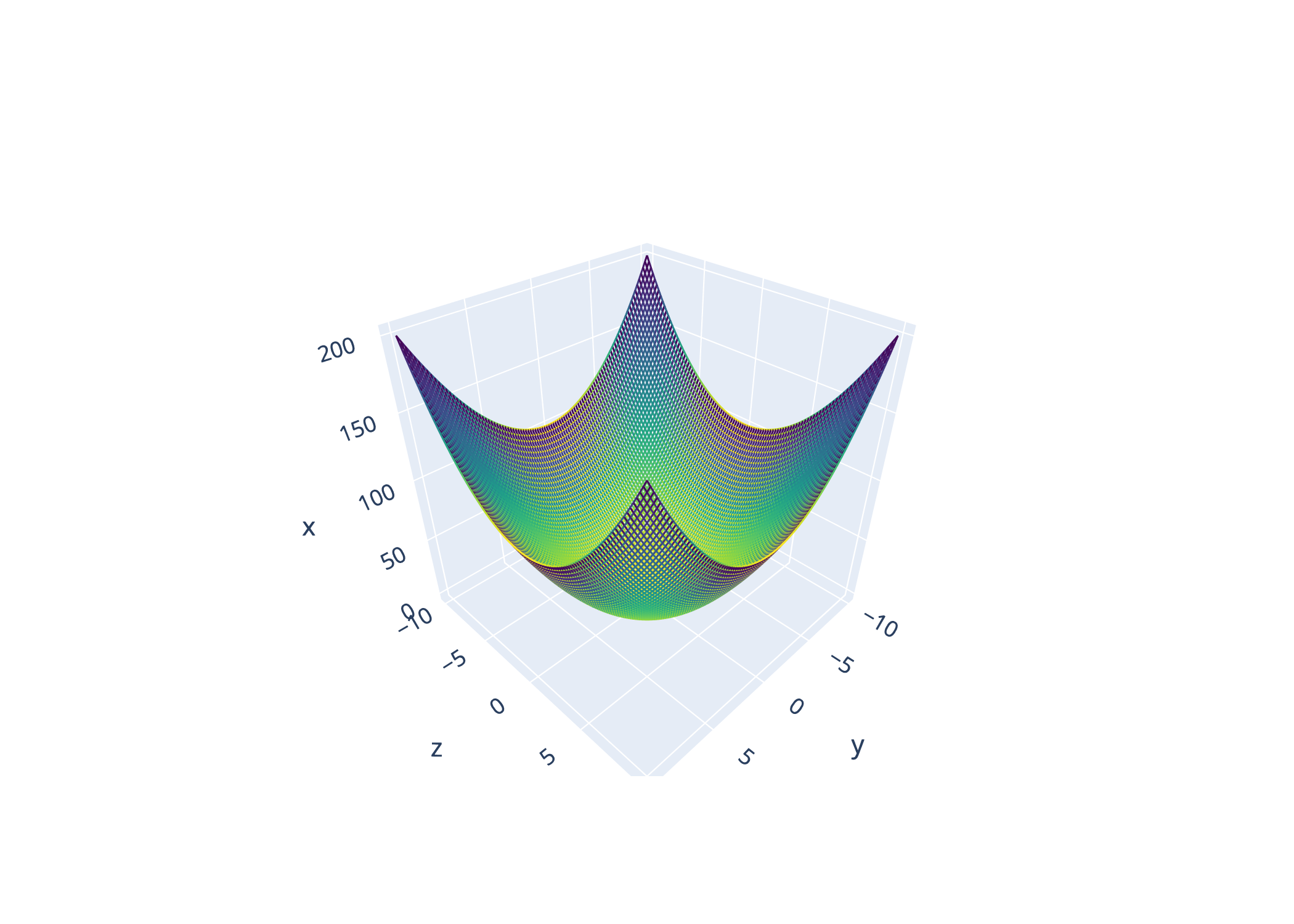 |
| Contour-Plot | 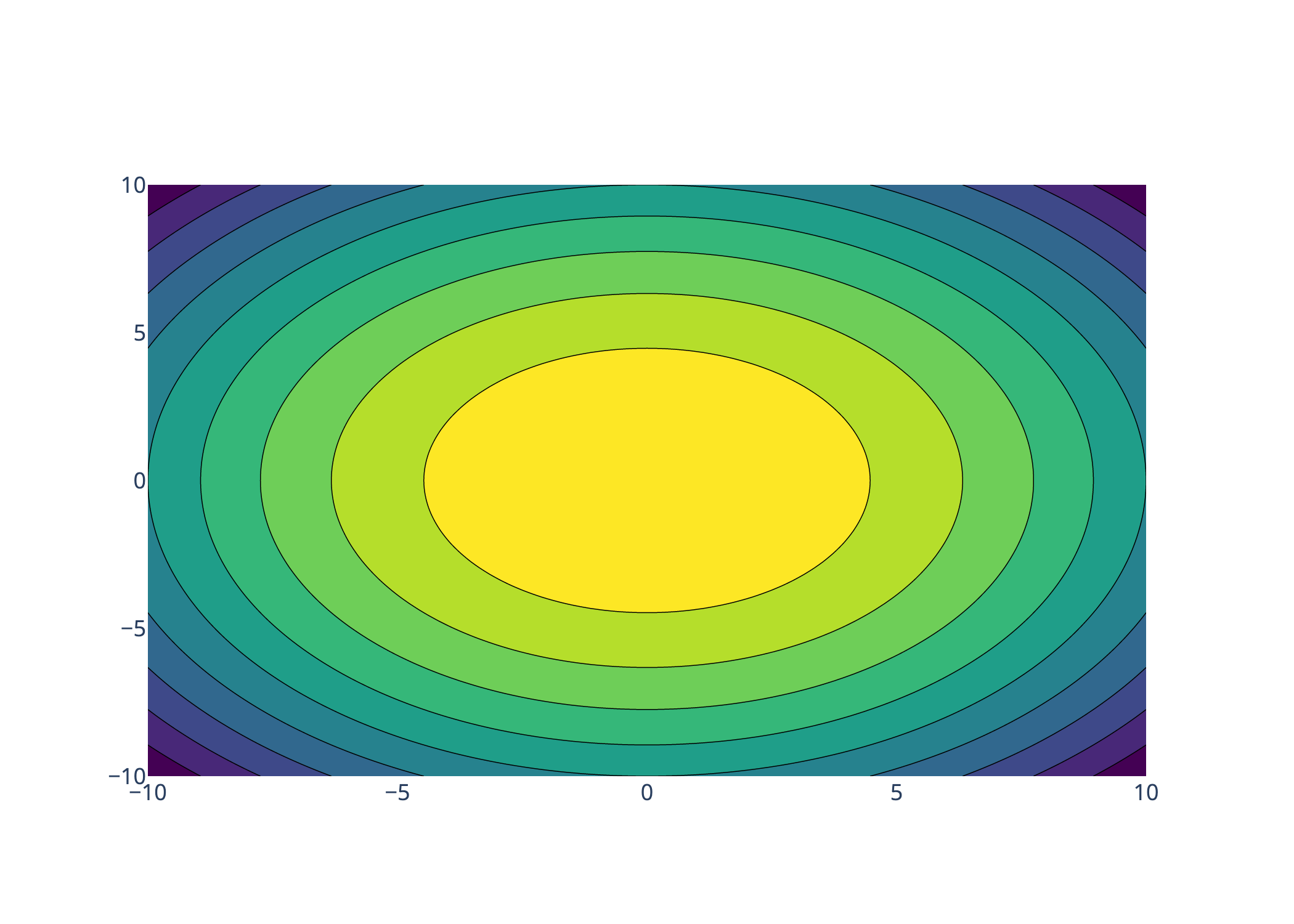 |
| Surface-Plot | 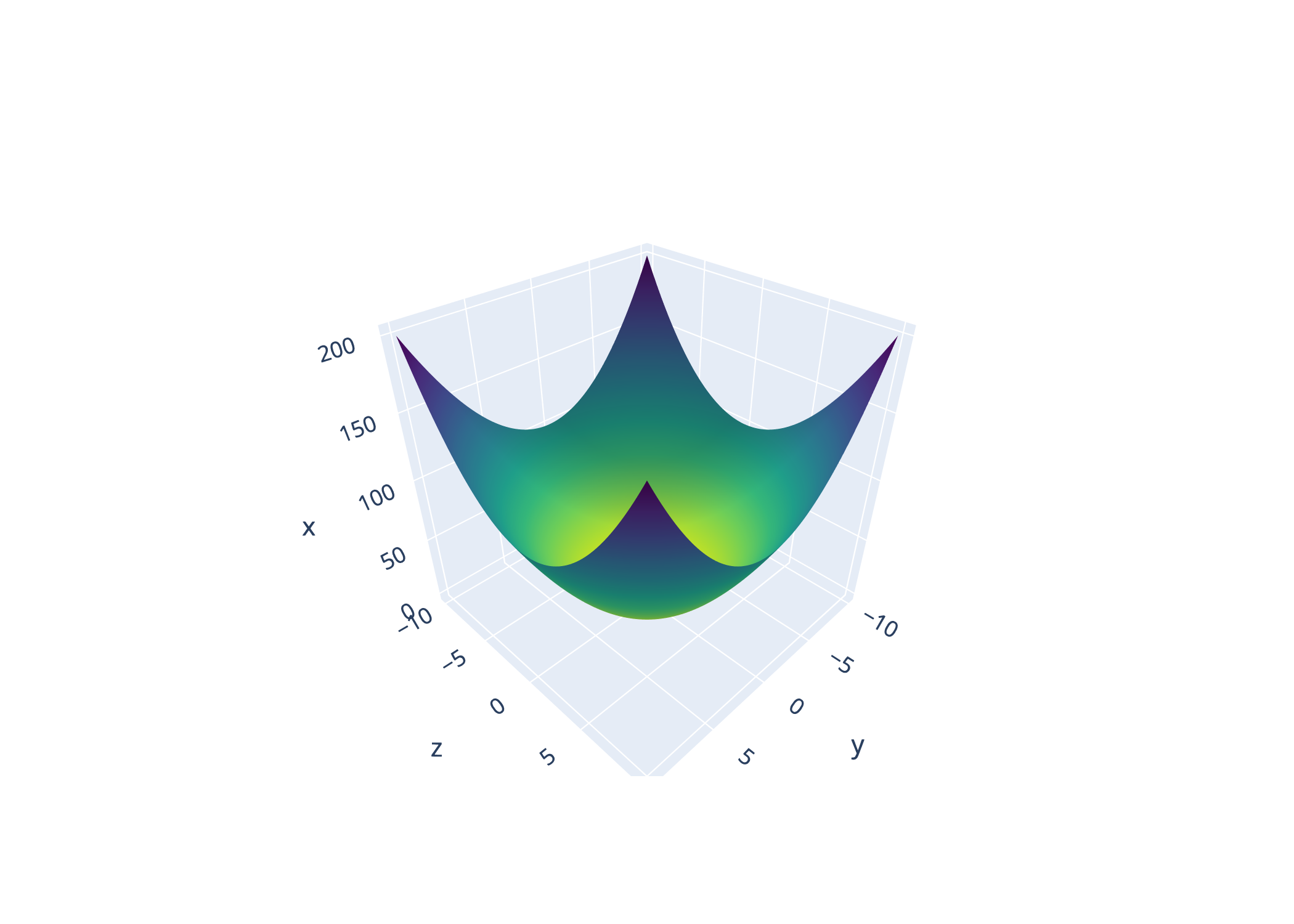 |
| Dashboard-Plot | coming soon |
| 2D-Plot | 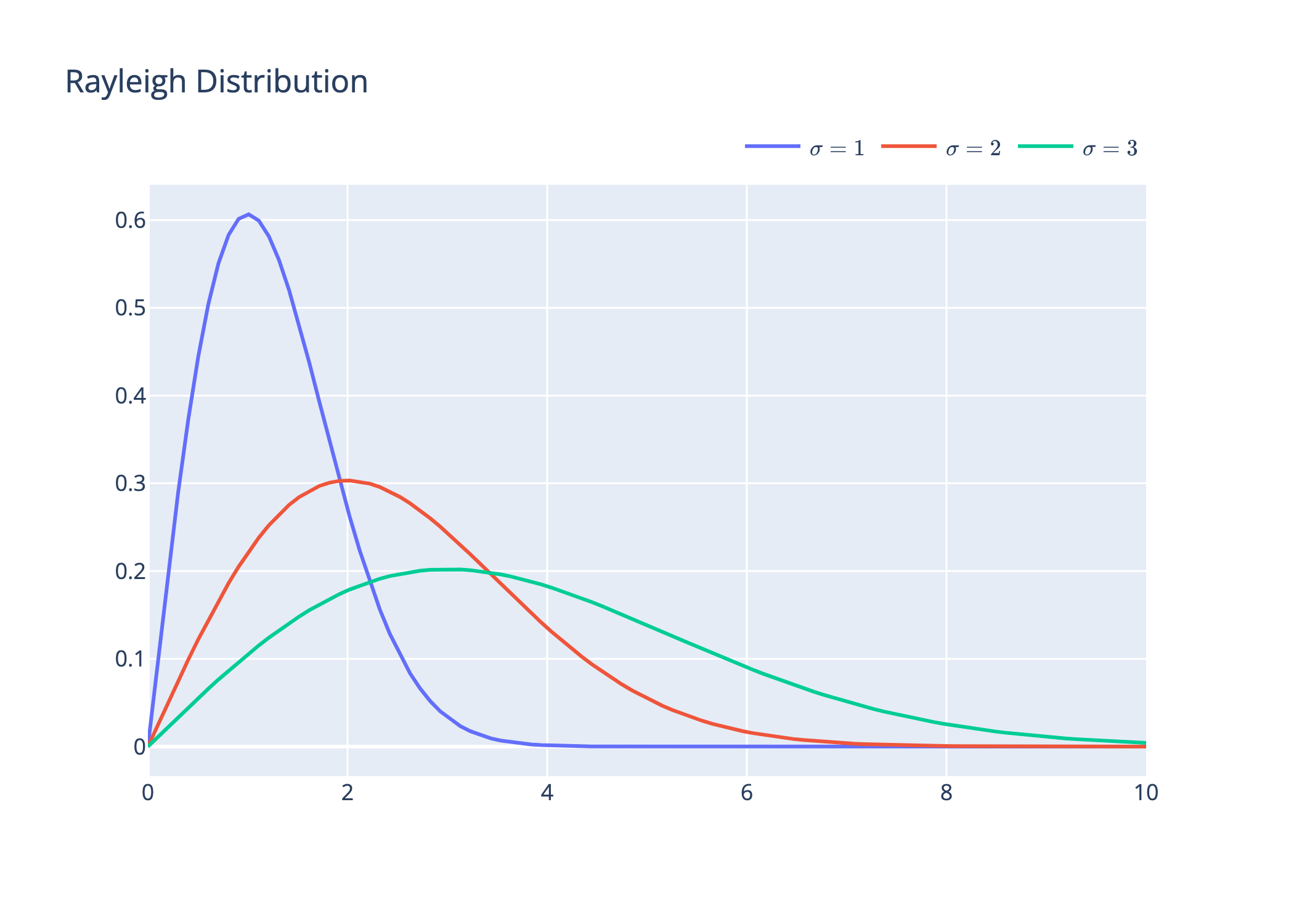 |